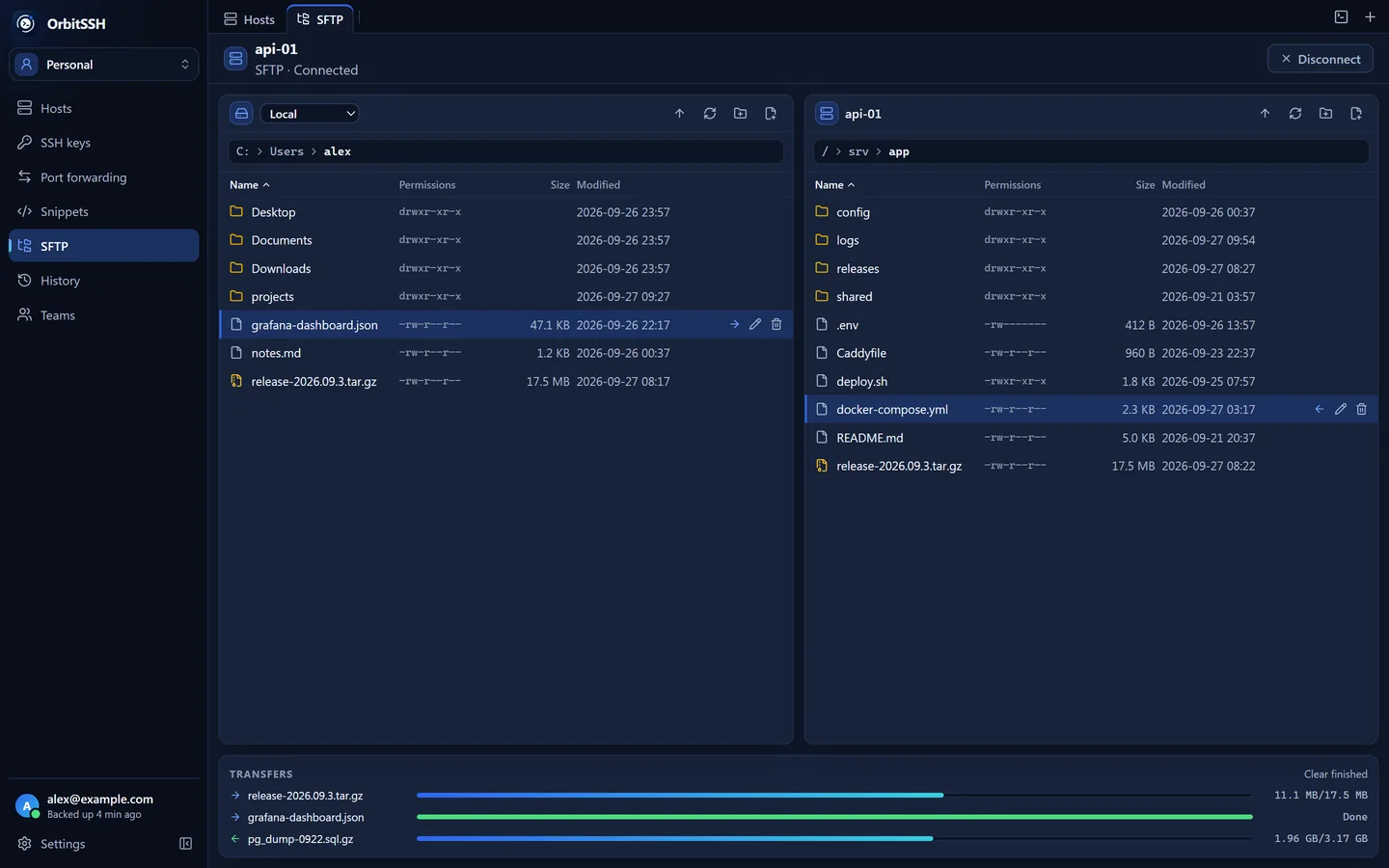
SFTP with two panes
Drag files in from the desktop, resume transfers after a dropped connection, copy between two servers through your computer, and compress or extract archives on the server.
Terminal, SFTP, jump hosts and port forwarding in one window. The AI assistant asks before it changes anything, and synced data is encrypted on your device before it's uploaded.
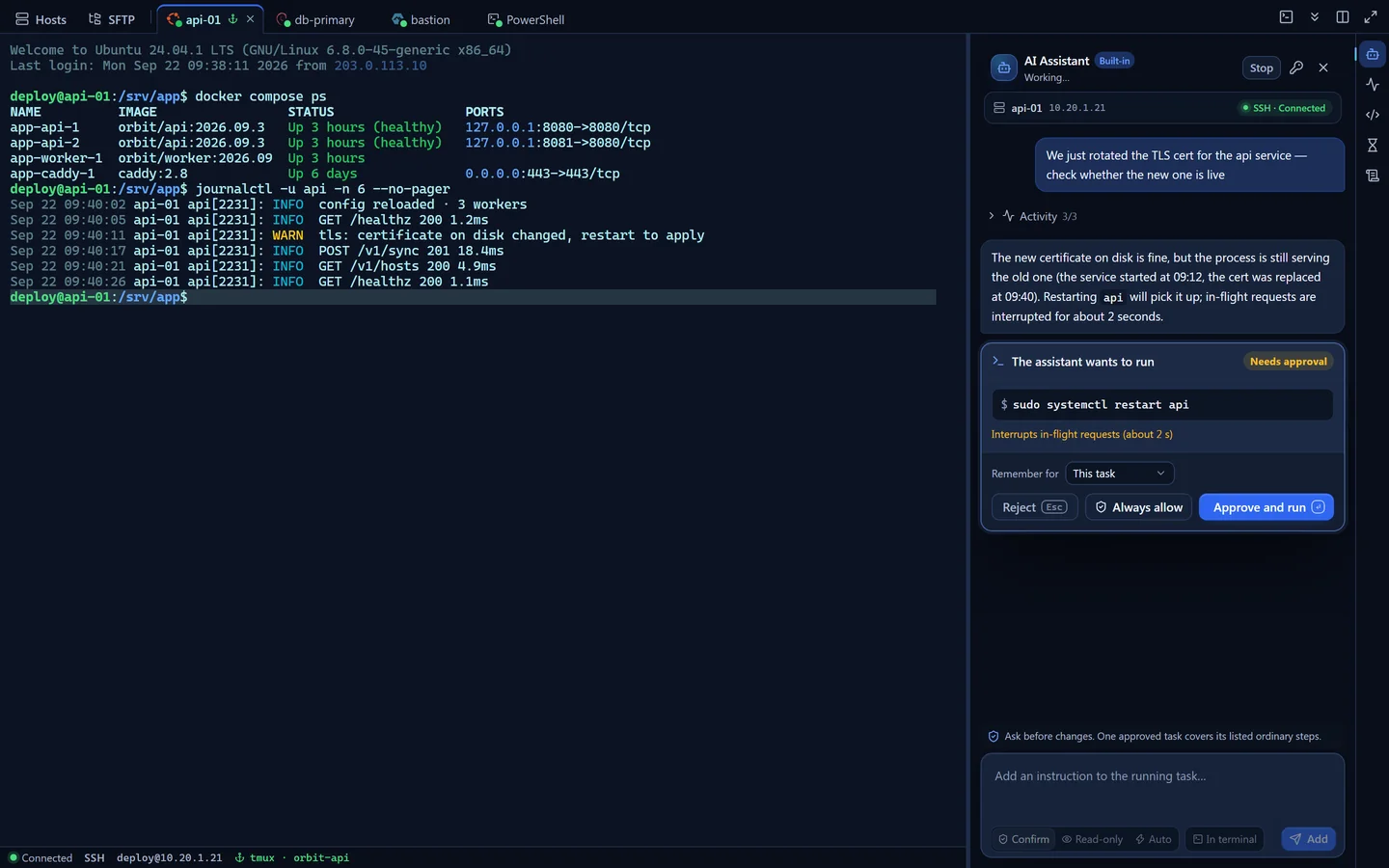
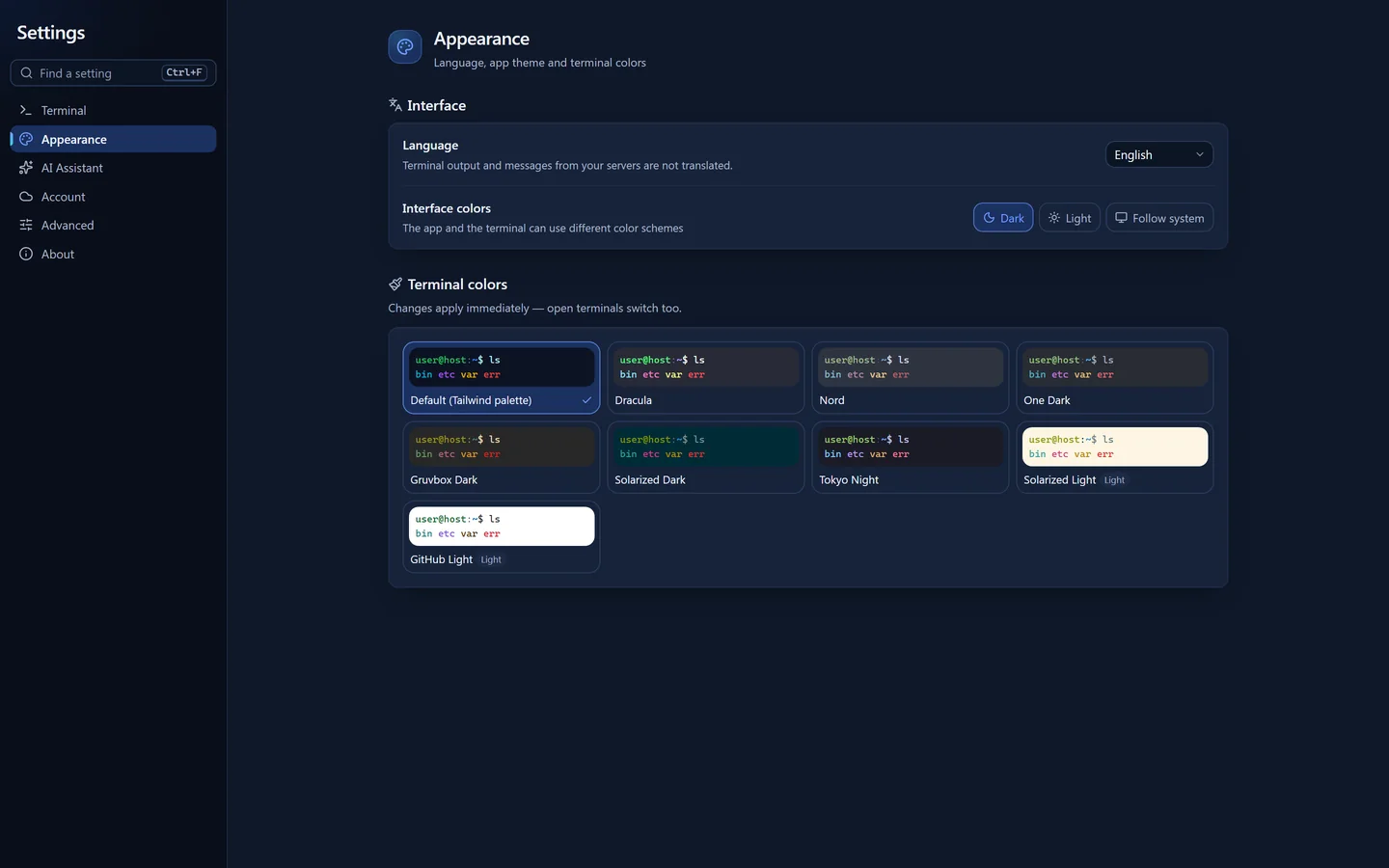
Every screenshot and recording below comes from the desktop client, running against demo servers.


Read-only checks run right away. Before restarting the service it stops at an approval card that shows the exact command, the risk and how long your approval lasts. Once you approve, the command runs in the terminal you're looking at. The header shows how many tokens the chat has used.
Set up a host once and the terminal, SFTP, port forwarding and the AI assistant all use it, so you don't have to juggle separate tools.
Drag files in from the desktop, resume transfers after a dropped connection, copy between two servers through your computer, and compress or extract archives on the server.
Chain up to eight ProxyJump hops. Every hop authenticates on its own and gets its own host key check.
Durable sessions use the tmux or screen already on your server, so nothing extra is deployed. While it reconnects, earlier output stays on screen and can still be copied. Afterwards it tells you whether you're back in the same shell or in a new one.
It reads command output and explains errors. Commands that change something run in your terminal, where you can watch them. High-risk steps always wait for your approval, and that rule is enforced in the Rust core, not only in the interface. Use your own OpenAI-compatible or Anthropic key, or a local model through Ollama or LM Studio.
Tunnels are set up and managed next to the host they belong to.
Telnet for older network gear, serial for consoles and dev boards, and a local terminal, all in the same tab bar as your SSH sessions.
An SSH client holds the credentials for every server you manage, so we built OrbitSSH on the assumption that our cloud could be breached one day. Everything we store is encrypted with a key that only exists on your devices.
Hosts, passwords and private keys are encrypted here, before anything is uploaded.
It stores encrypted data and version numbers. It has no key to decrypt them, and neither do we.
The first time you connect, the fingerprint of every hop is saved, separately for each jump path. If a known key changes, the connection stops and you're told which hop it was.
A second password opens a decoy vault instead of the real one, and can also delete the real one. On disk the two unlock slots look the same, so nobody can tell whether a second password is set.
Team keys are encrypted separately to each member's X25519 public key. Read-only members never receive the credential key, so they have no way to decrypt passwords.
The local vault is locked with a key derived by Argon2id, and the master key is kept in your operating system's credential store.
SSH traffic goes straight from your computer to your servers. You don't need an account to connect; the cloud is only used for sync.
Each update is verified against a public key built into the app, and nothing installs until you've read what changed and confirmed.
Termius is a mature product. Here's roughly who each one suits.
Termius is a trademark of its owner. OrbitSSH is not affiliated with or endorsed by it.
Everything local works without one. Cloud sync and the second password need a Pro or Team plan, and team sharing needs Team. Two-step sign-in works with an authenticator app, a YubiKey or a backup code, and is managed on the web. The app lists every device you're signed in on, and you can sign any of them out.
Cloud sync and the second password need Pro or Team, and team sharing needs Team. Everything else works without an account: the terminal, SFTP, jump hosts, port forwarding, the AI assistant with your own key and the app lock.
If you created a recovery code in the app, you can use it to set a new password without losing data. Without one, nobody can decrypt your cloud backup, including us. Keep the code somewhere other than the computer you use every day.
Commands it can prove are read-only (listing files, checking status, reading logs) run right away in every mode. Beyond that it depends on the mode: Confirm (the default) asks before anything that changes the system, Read-only never changes anything, and Auto runs low- and medium-risk changes without asking. High-risk steps always stop and wait for you, and that check is in the Rust core.
Not at the moment. The sync server address is built into the app and can't be changed. Since only ciphertext is uploaded, you don't have to trust that server with your data.
Windows x64 for now. macOS builds exist but haven't been released, there's no Linux build, and there are no mobile apps.
The desktop client is, under GPL-3.0, at github.com/orbitssh/orbitssh. The hosted sync service isn't, which is why the client is designed so the service never sees your keys.
The Windows installer has everything you need. Updates show up inside the app, are checked against its signing key, and install only after you confirm.
Checking for the latest release…